Shift4

Overview
Shift4 is the number one European payment processor and the fourth largest payment processor in the world. They allow you to accept credit cards and ACH or EFT payments in ChargeOver and they support four countries and over 150 currencies!
How to Connect
Steps to connect Shift4 and ChargeOver together are below.
Please note that if you had a Bambora account, you can use this link to login to your account with Shift4.
In Shift4
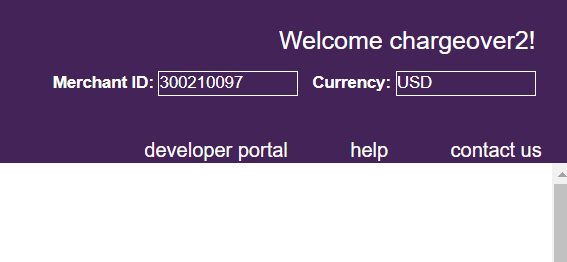
Find your Shift4 merchant ID
In your Shift4 account you will be able to see your Shift4 Merchant ID in the top right hand corner of the screen. It was also provided via email when you signed up with Shift4.
Find Transaction API Access Passcode
- Login to your account and select Administration, then Account Settings, and Order Settings
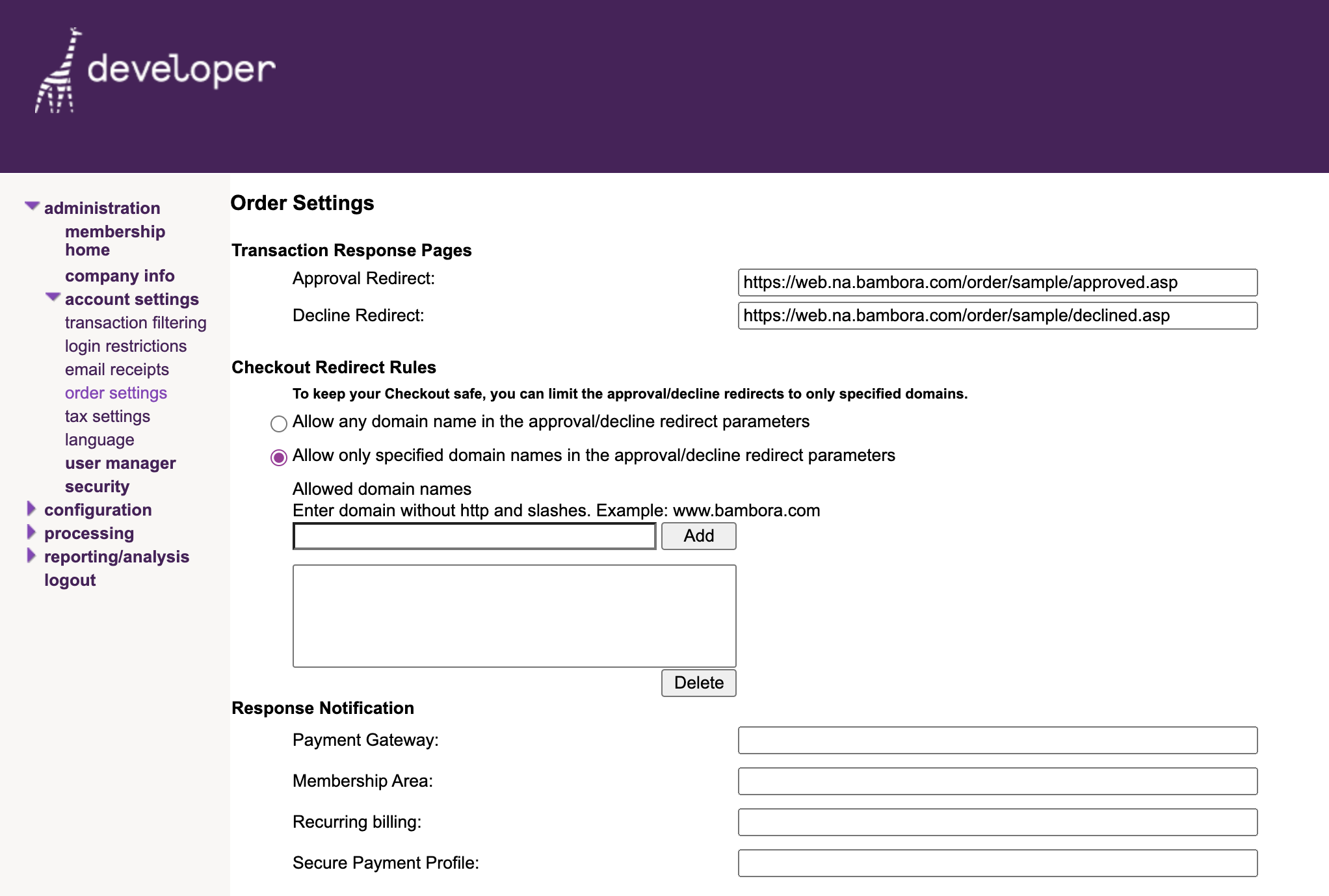
- Look for API access passcode. If it's blank, click the
Generate New Code button to create one
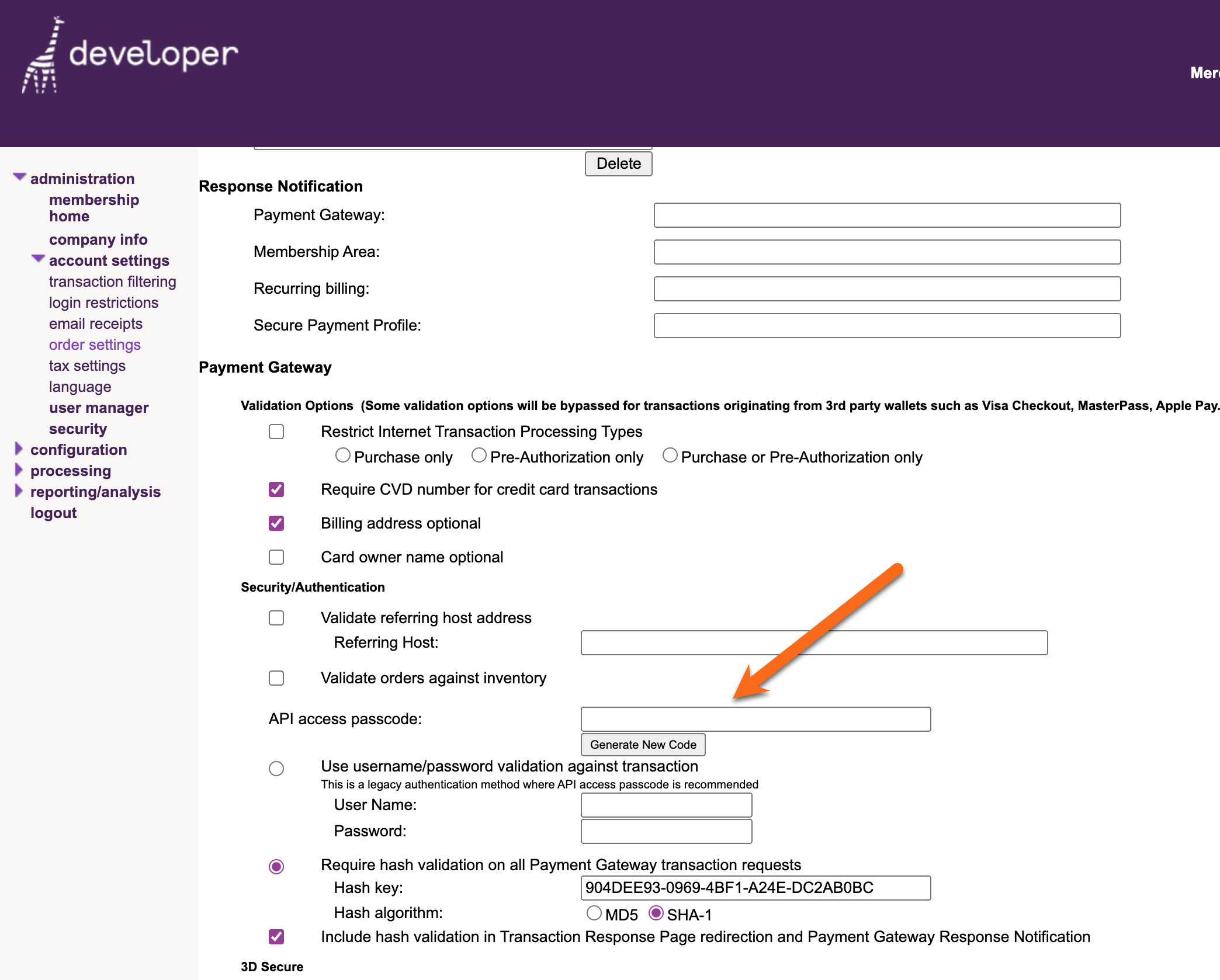
If you are planning on running ACH/ EFT payments through Shift4, you will also need your Reporting API Passcode and your Batch File Upload API Passcode.
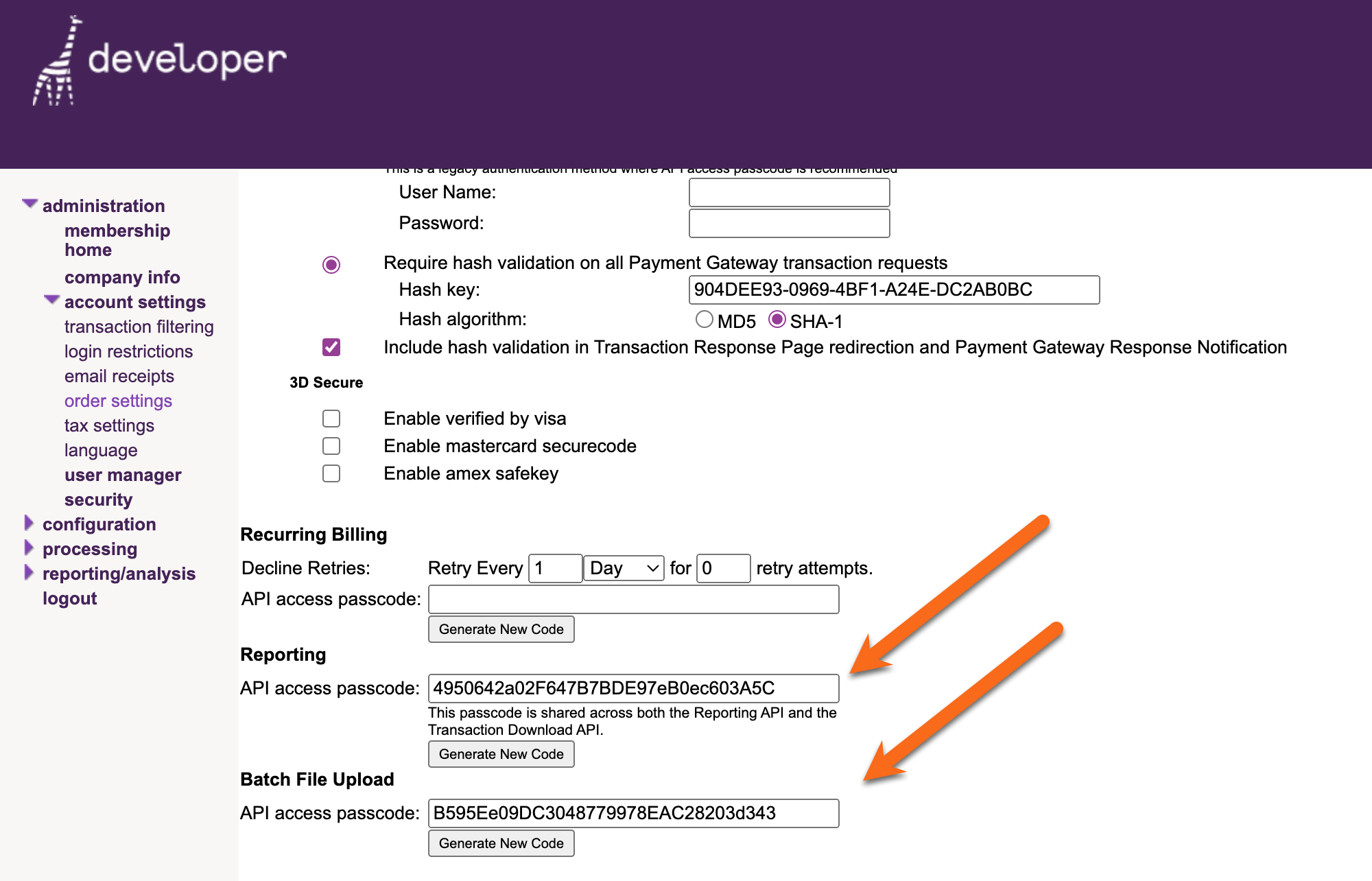
Find Reporting API and Batch File Upload API Passcode
- Like the Transaction API Passcode, you can find these by logging into Shift4, going to Administration, then Account Settings and Order Settings
- Scroll down the page until you find where they are listed
- If the fields are blank, click the
Generate New Code button to create them
- Once you have generated your API Passcodes you will need to click
Update at the bottom of the page, to ensure Shift4 saves them
Now, it's time to go back to ChargeOver and get the two connected.
In ChargeOver
- Go to your Settings and select
Payment Processing - Then select
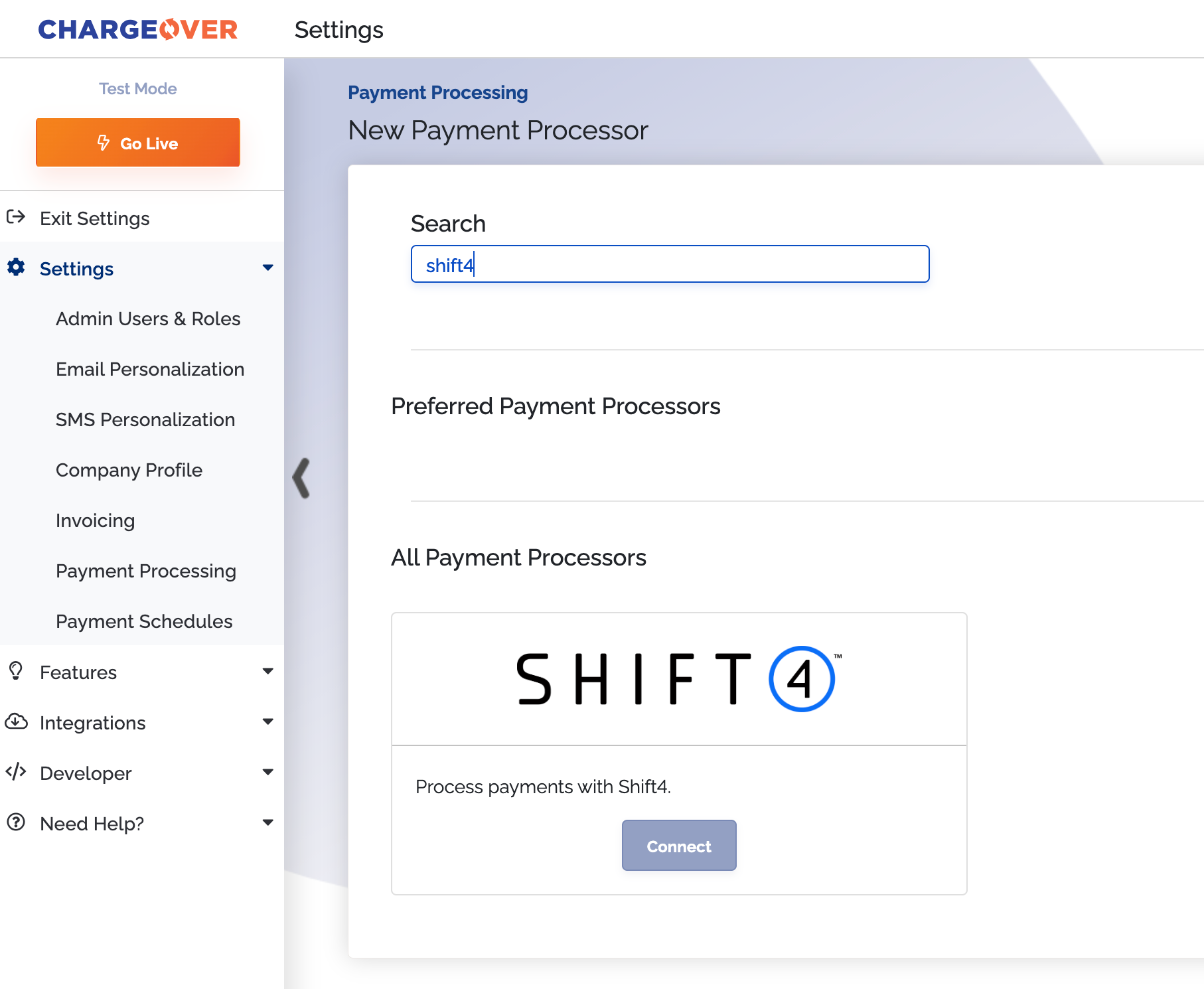
Add or Configure a Payment Method or Merchant Account - Select Shift4 from the choices
- Enter in your Merchant ID and your API Passcode(s)
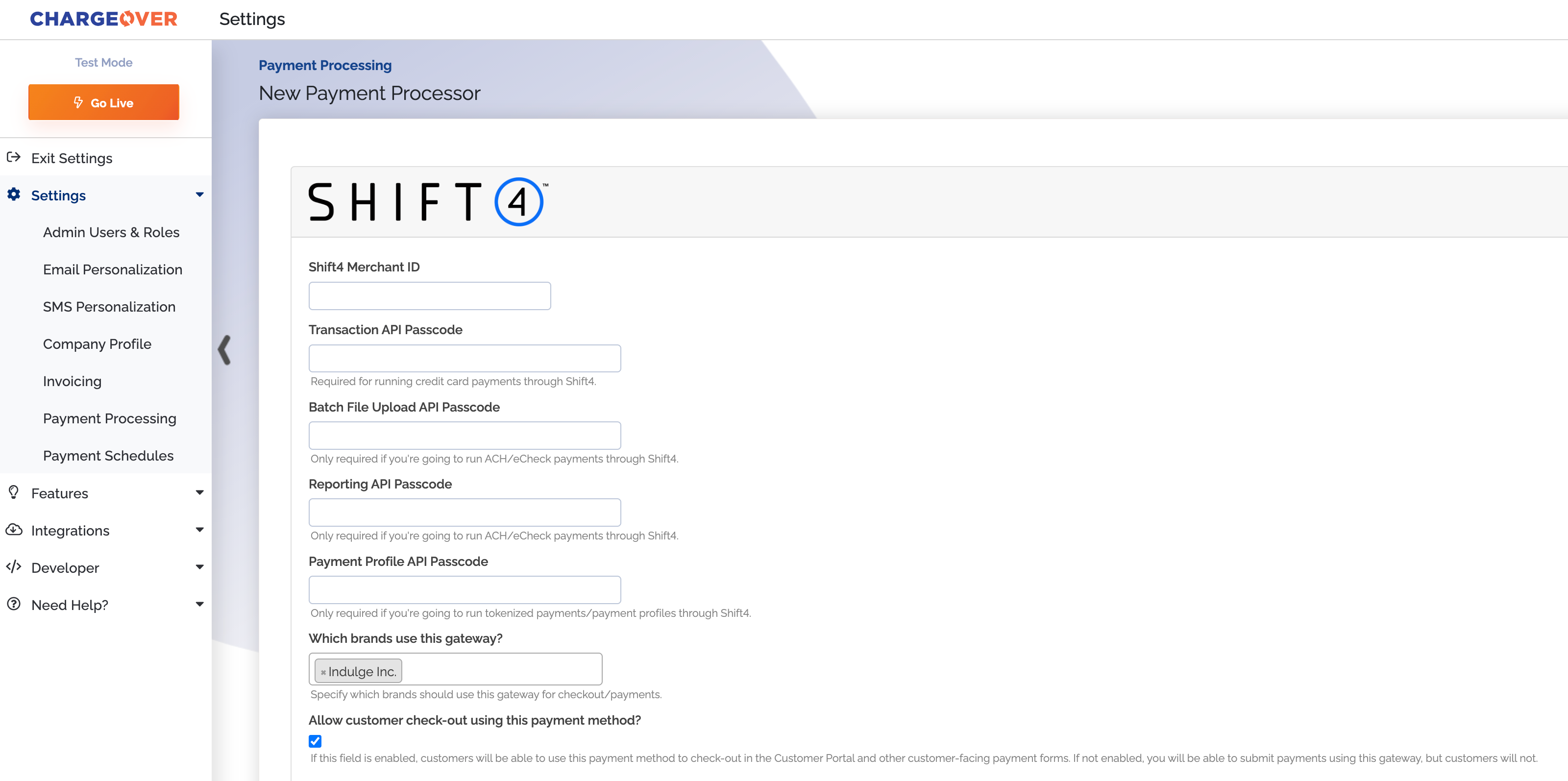
- Scroll to the next section and designate which payment types you accept (Visa, Mastercard, ACH, etc.)
- Click
Save Settings when finished
Common Questions
Does the integration between Shift4 and ChargeOver support…
| Feature | Supported? |
|---|---|
| Dynamic Statement Descriptors | ✖️ |
| Tokenized Payments | ✅ |
| Credit Card Payments | ✅ |
| ACH (USA Only) Payments | ✅ |
| EFT (CAD Only) Payments | ✅ |
| ACH (AUS Only) Payments | ✖️ |
| Credit Card Refunds | ✅ |
| ACH Refunds | ✅ |
Can Shift4 send multiple ACH or EFT payments into a single settlement batch?
Yes! Shift4 automatically batches up ACH payments.
Can Shift4 report ACH payment status' to ChargeOver?
Yes.
Supported Currencies
Shift4 supports CAD and USD with its integration with ChargeOver.
Supported merchant countries
Supported merchant countries based on where your business is located, include: Canada and the United States.
Common Decline Messages
If you are unsure what a Shift4 decline message means or what to do next, the most common error messages you might encounter are explained below.
| Error Message | What Shift4 is Trying to Tell You | Next Steps |
|---|---|---|
| ERR_DECLINE | Shift4 told ChargeOver the payment was declined. | You or the customer should contact Shift4 to discuss the reason for the decline. |
| ERR_CREDENTIALS | Shift4 told ChargeOver that your authentication credentials for Shift4 are incorrect. | You should contact Shift4 and fix the credentials you use to connect to them. |
| ERR_EXPIRED | Shift4 told ChargeOver the credit card has expired. | You should contact the customer and ask them to provide a new payment method. |
| ERR_CVV | Shift4 told ChargeOver the credit card was declined due to an incorrect CVV/CVC security code. | Your customer should provide a correct CVV/CVC security code, or provide a new payment method. |
Troubleshooting
Sometimes you will have typed in the wrong password or credentials when connecting your gateway to ChargeOver. This is an error message Shift4 might throw when this occurs.
This error message can either be found on the object, like the payment or refund, or the Shift4 connection page in ChargeOver.
Error Message
Service is busy importing another file.
OR
Shift4 declined the transaction because you took many payments in a short period of time, and Shift4 could not process them fast enough.
What Shift4 is Trying to Tell You
You are sending ACH or EFT payments to Shift4 at such a fast rate, that Shift4 cannot process the payments quick enough.
Next Steps
- You can safely retry these payments by attempting another payment
- If you contact Shift4, they may be able to speed up processing speed for you
- If this is occurring when ChargeOver is automatically processing subscription payments, enabling ACH or EFT batching may also help. This means that ChargeOver will bundle a large amount of payments into a single batch settlement with Shift4, instead of sending one settlement batch per payment

Shift4 support
If you need to contact Shift4's support team, you can use the information below.
**Phone number - they offer different numbers for different countries. See support website for your unique support number to call.