Print and direct mail
Print and direct mail
Our print and direct mail feature allows you to automatically send customers a physical copy of their invoice anywhere in the world via USPS.
Enable print and direct mail
- Go to your settings
- Click the
Features tab - Click
More features - Search for print and direct mail and click
Get Started - You can enable print and direct mail by changing the toggle to yes
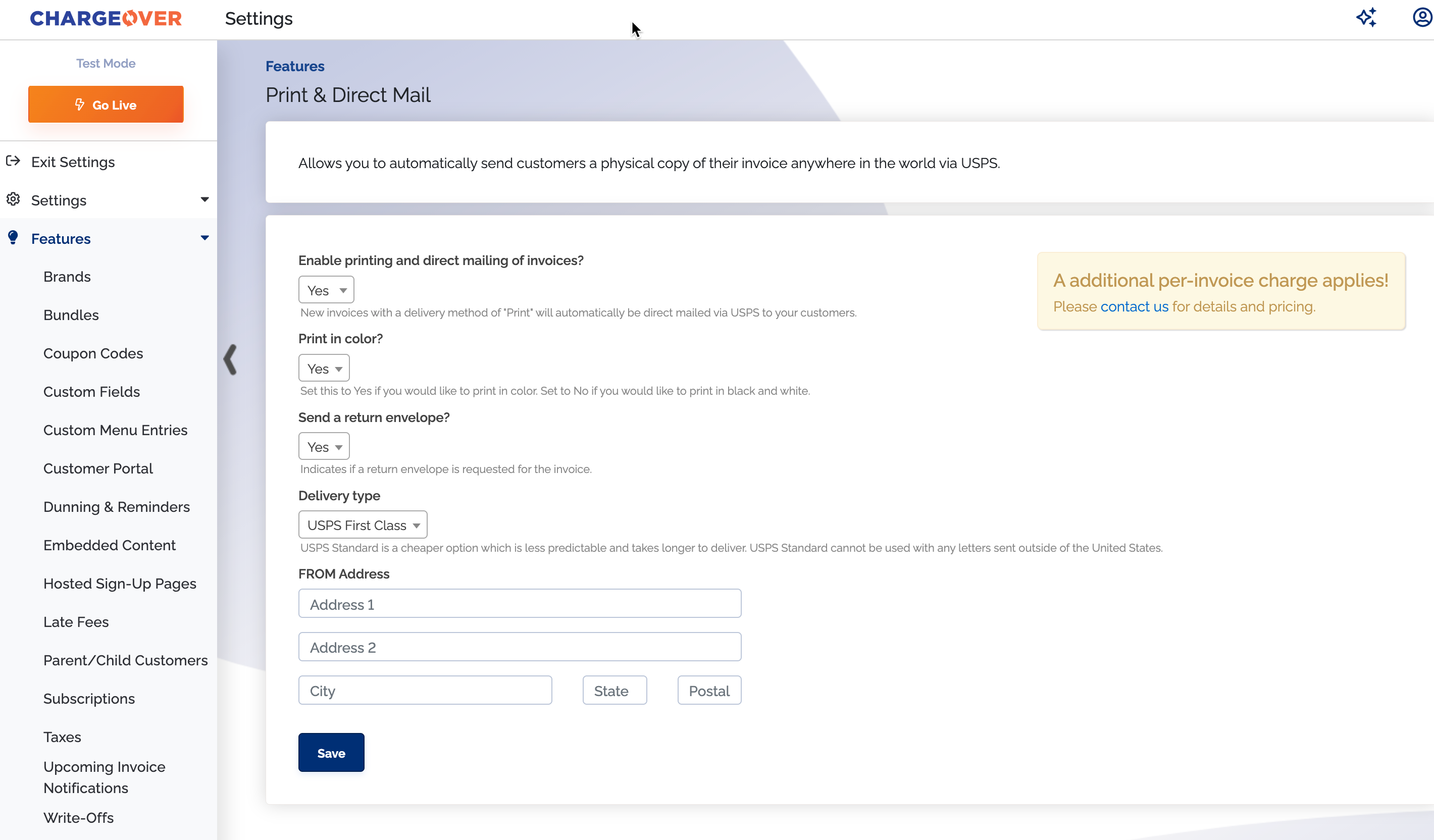
Set a customer to print
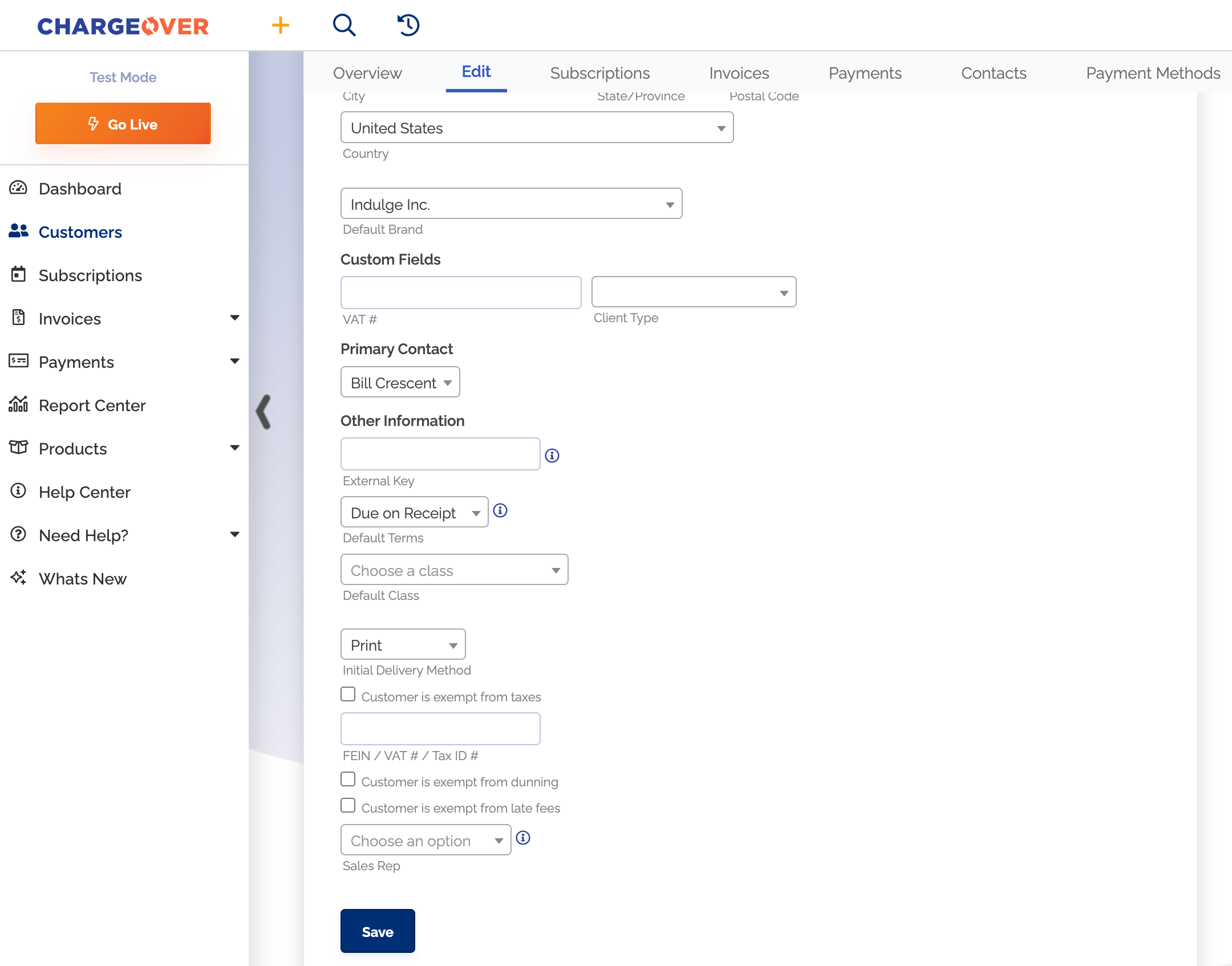
You will need to set your customer's invoice delivery method to Print if you want them to receive their invoice in the mail and not via email.
- Go to the customers Edit tab
- Scroll down and click 'more advanced options'
- Select the print option under the 'initial delivery method' dropdown
Save your changes
Manually send an email
You can always manually send emails to your customers.
- Go to the overview page of your customer
- Under the customer actions header on the right side of your screen, select 'send email'
- Choose your email template and click
Send
danger
Invoice template changes may be potentially required to make sure your print letter fits into the envelope properly. Contact support if you are unsure of this.