Parent and Child Customers
Enable parent-child relationships
- Go to your settings by clicking the gear icon in the top right corner, then
Features andMore Features - Search for "Parent/Child Relationships" and click
Get Started - Set 'Enable Parent/Child Customers?' to "Yes"
Create a parent-child relationship
To create a parent or child relationship between ChargeOver customers, create the parent customer first. Once the parent customer has been created, you can create the child customer.
- Go to your Customers tab and click the
New Customer button - Under the Customer/Company Name field, you will see a drop down menu that asks "Is your new customer a child of another customer?"
- Select the parent customer from the dropdown menu
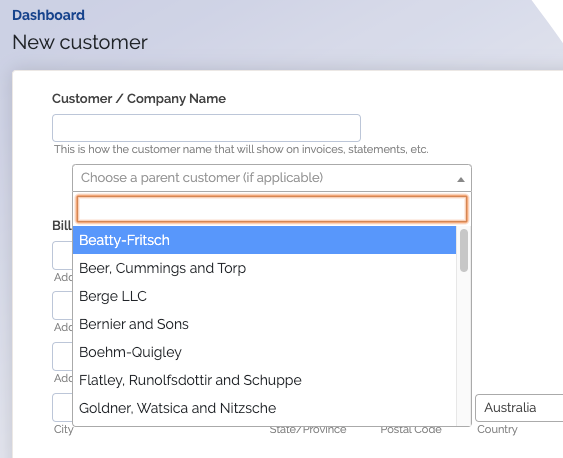
- Fill in the parent customer's information and
Create Customer
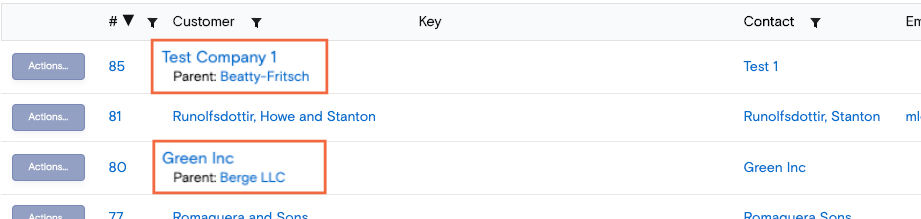
When you view the newly created child customer, you will see that the parent customer is also linked to the company field.
You will also be able to see the parent-child relationship between the two customers when viewing all of your customers from the Customers tab.
Combined billing
Enable child customer access to parent payment methods
- First, you'll want to make sure you have the proper settings enabled. Go to
your Settings, then click
Features and search forParent/Child Customers - Next, you'll want to enable the setting let child customers use parents payment methods on subscriptions
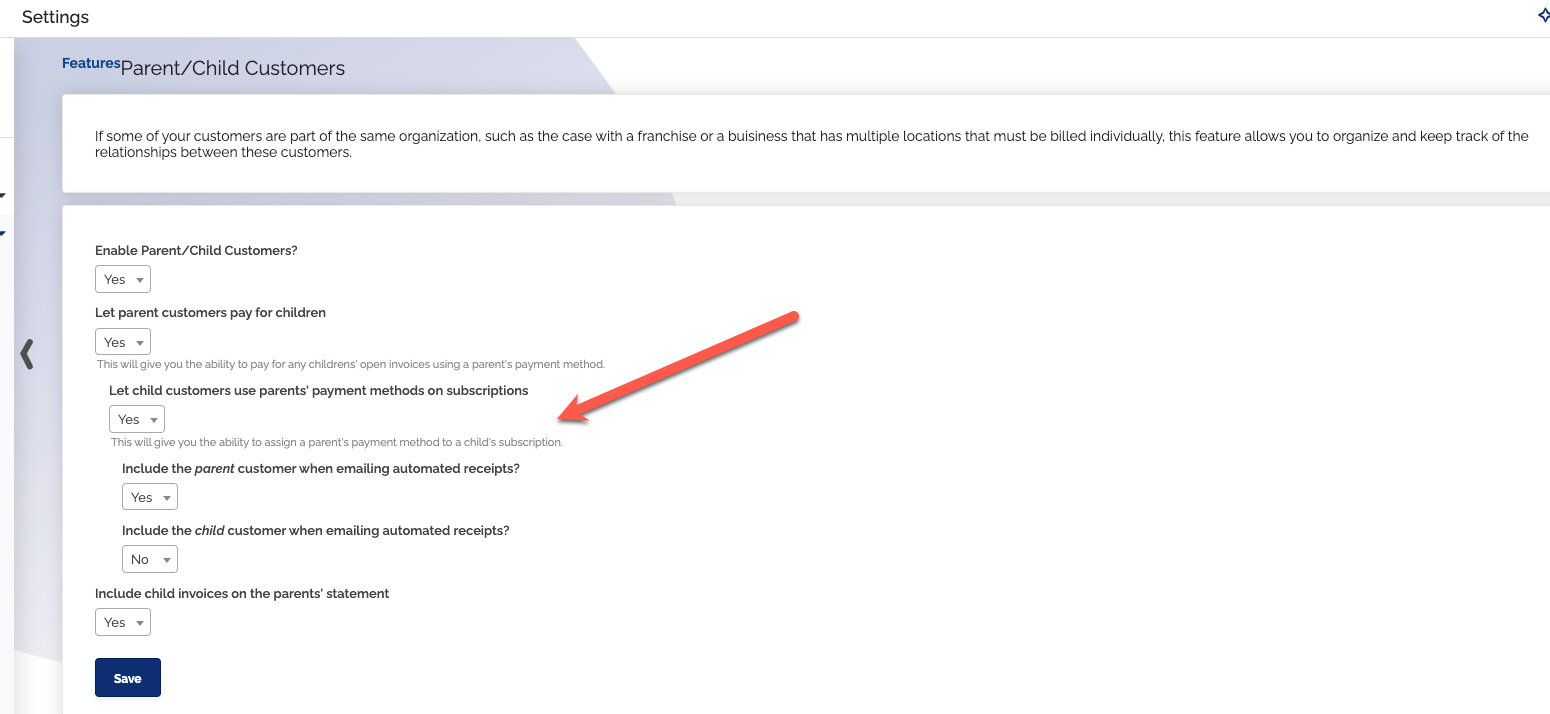
- You can also enable a setting that will include any contacts associated with the child customer when emailing any automated receipts
- Once you've got that enabled, your children customer's subscriptions can now use the parent's payment method
Scenario one - one customer, two subscriptions
If both subscriptions have the same payment method, and invoice on the same date, ChargeOver makes one payment for the combined amount of both invoices.
If the payment methods are different or the date of the invoice is different, then ChargeOver will make two separate payments for the invoices.
Scenario two - one parent, two child customers
If both subscriptions have the same payment method, invoice on the same date and have enabled "Let child customers use parents methods on subscriptions" ChargeOver makes one payment for the combined amount of both invoices.
To enable this, make sure all of these are set to
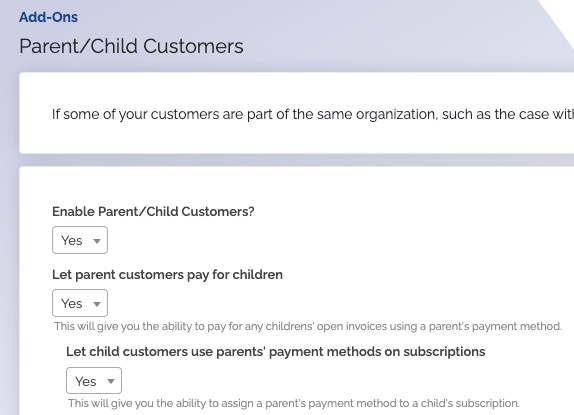
If anything is different on the subscription, this results in two separate charges.
After 'Let child customers use parents...' is enabled, go to the child
subscription. Under
Scenario three - One parent, two child customers and child invoices will show on the parent invoice
This is similar to scenario two, except that when you look at the parent invoice, the child invoices are rolled up into the parent invoice. This is possible, but requires a little work on our end to make it happen.
Please contact support@chargeover.com and we will reach out with next steps!
Parents can view and select child invoices separately
When looking at a parent customers invoices, there will be a box available to check off called 'show child invoices.'
When the box is checked, it shows the child invoices separate from the parents invoices.
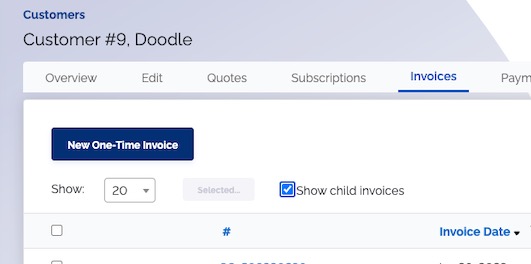
The 'show child invoices' box is not checked by default.
Parents can view child subscriptions separately
Parent customers can now select the box 'show child subscriptions' to view their child's subscriptions separate from their own.
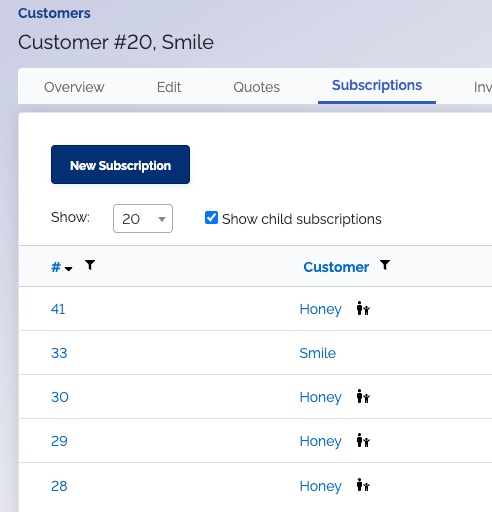
The tiny parent and child icon indicates that a customer is a child customer.
Change a child's assigned parent
Sometimes you may want to change the parent customer of a child from one parent, to a different one.
-
Disconnect the parent from the child customer
-
Connect the child to the new parent
You cannot change the parent of a child customer if the parent has made payments on behalf of the child customer.
Remove a child from a parent customer
You cannot disconnect a child customer from a parent if the parent customer has made payments on behalf of the child customer.
- Go into the parents account
- Click into the tab
Children
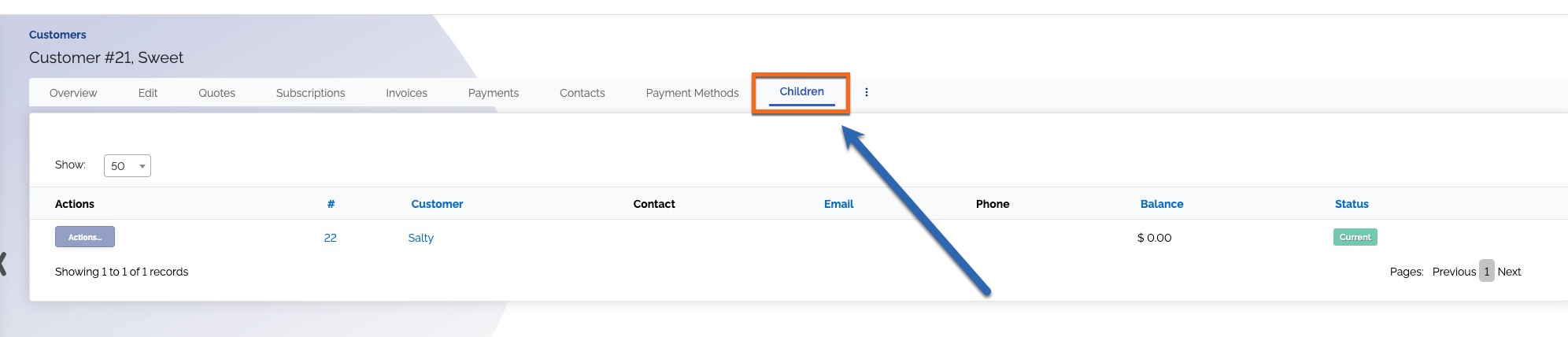
- Click into the name of the child you want to remove
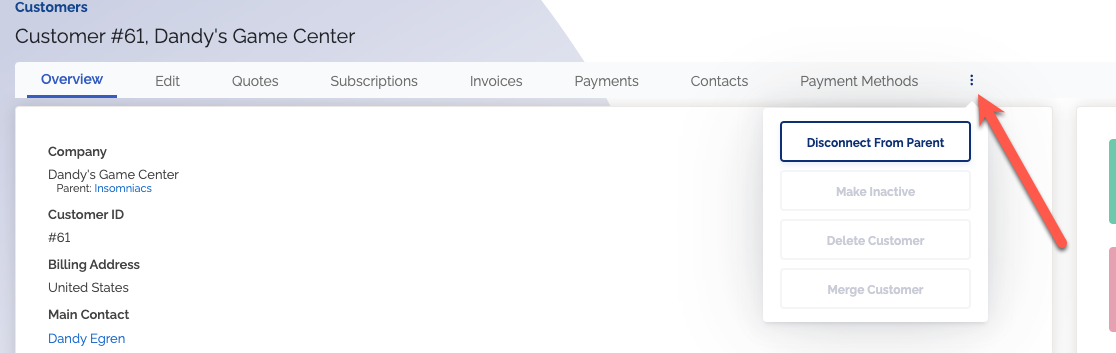
- Click the three vertical dots and select
Disconnect from Parent
Common questions
Can parent customers see their children invoices when logging into the customer portal?
Yes! If you log in to the customer portal as a parent customer, you will be able to see all of your children's invoices.
Will my customer relationships sync to QuickBooks?
If you are using the QuickBooks integration, parent-child customer relationships will sync from ChargeOver to QuickBooks. You will see the same relationship between the customers marked in QuickBooks as they are marked in ChargeOver.
In QuickBooks Desktop, the parent customer will sync over as a "Customer" and children customers will sync over as "Jobs" - The relationship is maintained between platforms, so you don't have to link the two together or anything like that.
Will my customer relationships sync to Xero?
We do not support syncing parent-child relationships to Xero right now. The parent customer and child customer will sync to Xero as two unrelated, separate customers.
Can a parent customer pay for a child customer's invoices?
Yes, but with some limitations. The parent customer will not be able to make the payment themselves via our hosted payment pages. You will have to make the payment on their behalf.
Please note that you must enable the ability for a parent customer to pay for their children. Then the child can use the parents payment method whenever!
You can find this setting by going to the
We will send the payment receipt email to the customer to which the payment method belongs. So if you're using a parent payment method for children's invoices, the parent will receive the receipts.
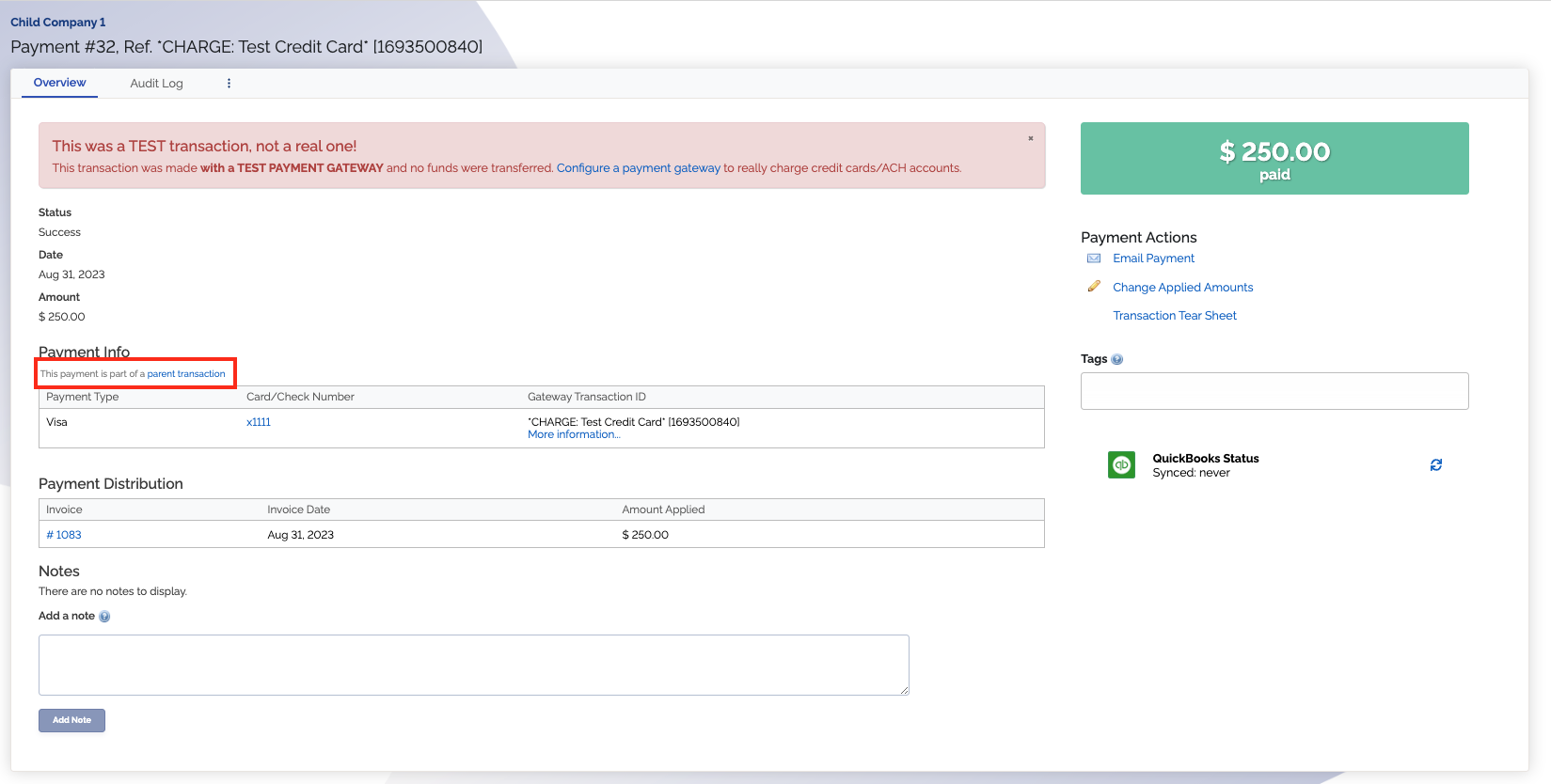
- When looking at a child transaction , you can use this link to get back the parent transaction
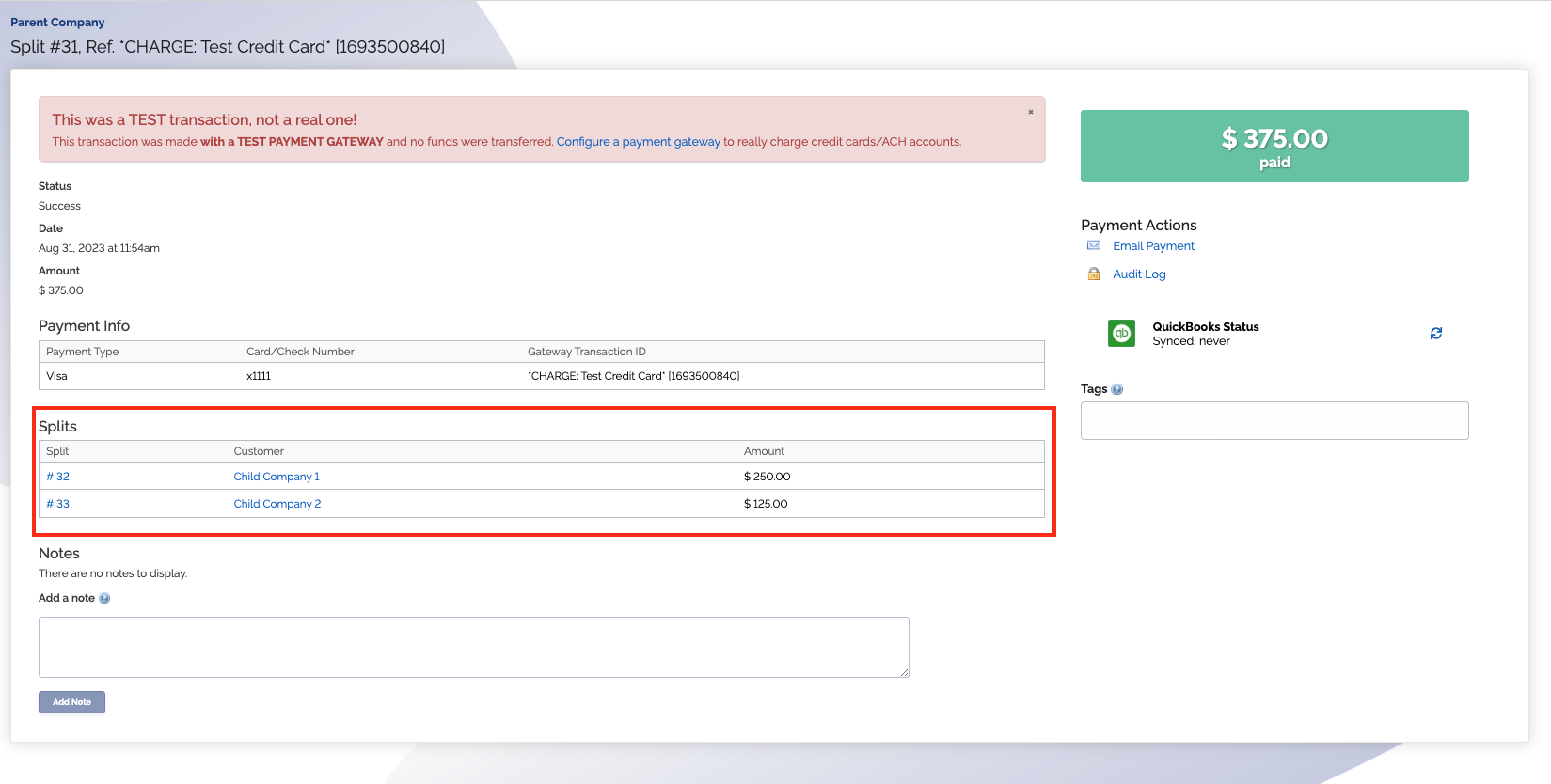
- A parent transaction will link to any child transactions
Can a child customer pay for a parent customer's invoices?
No, child customers can not pay for parent customers' invoices.
Can a child customer pay their own invoices and have their own subscriptions?
Yes. Child customers can still pay their own invoices, can still have their own subscriptions, can still be scheduled for automatic payments, can still log in to the customer portal, etc., as normal. You can also create one-time invoices and one-time payments for child customers as normal.
Can a parent customer still have their own invoices and their own subscriptions?
Yes. Parent customers can still pay their own invoices, can still have their own subscriptions, can still be scheduled for automatic payments, can still log in to the customer portal, etc., as normal. You can also create one-time invoices and one-time payments for parent customers as normal.