SureTax

Overview
The SureTax integration allows you to automatically generate your tax rates from SureTax and apply them to your ChargeOver invoices.
Steps to connect
In ChargeOver, go to your settings, then click
Integrations on the left menuFind SureTax, then click
Get Started Fill in the following fields that are required by SureTax:
- Client number
- Validation key
- Regulatory code
Your client number and validation key should be provided to you by SureTax.
Set your SureTax account type with the "Is this a LIVE account, or a DEVELOPMENT account?" setting
- For sandbox SureTax environments, set this to
Development - For live production SureTax environments, change "Is this a LIVE account, or a DEVELOPMENT account?" to
Production
- For sandbox SureTax environments, set this to
Usually the setting "When should the document be finalized for reporting?" should be set to "When the invoice is paid"
- If you wish to use another system outside of ChargeOver to automatically finalize your documents, you may wish to set this to "ChargeOver should not finalize documents automatically"
Choose the appropriate Regualtory Code for the type of service your products provide
Click
Test Connection , then clickSave
You are now connected to SureTax!
Configuring your services or products
To ensure that your products and services are matched up with the correct sales tax rates, you must assign a SureTax Tax Code to each of the products or services that you sell.
You can edit your existing products or services, and add new products/services in ChargeOver by choosing Plans & Products from the left-hand side menu.
When editing or adding products or services, you’ll see a SureTax Tax Code menu that you can choose the appropriate code from.

Tax calculations with SureTax
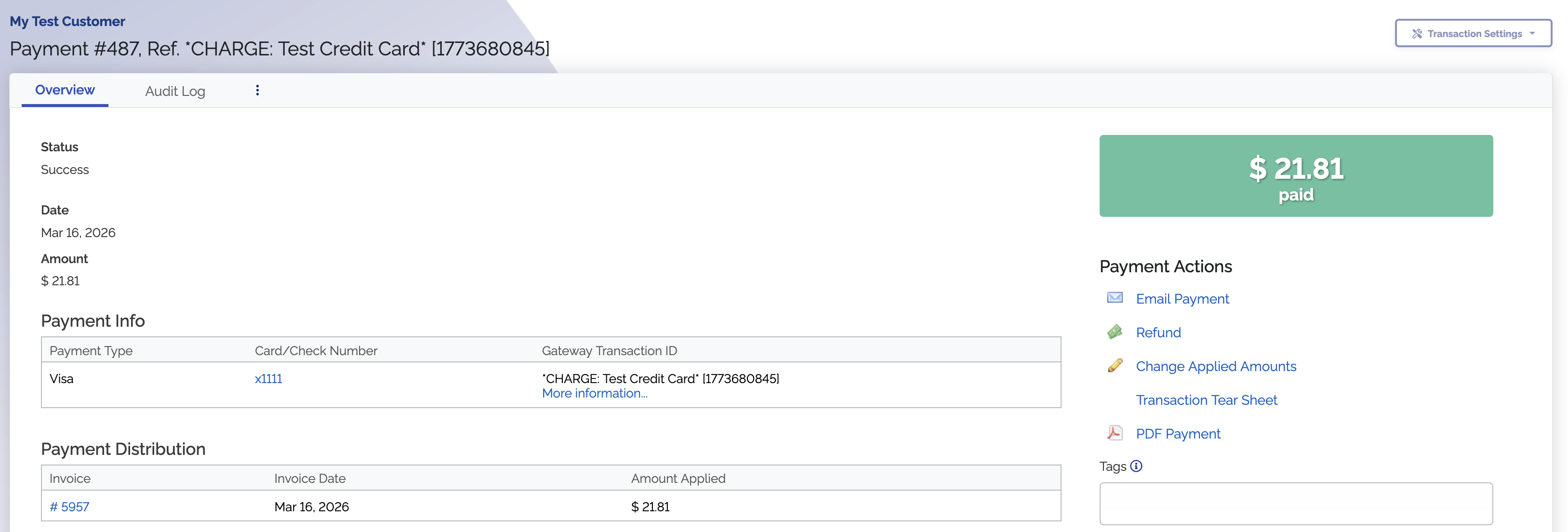
Once configured, your transactions will automatically sync taxes with SureTax. As an example, here's a transaction made on a taxable product:
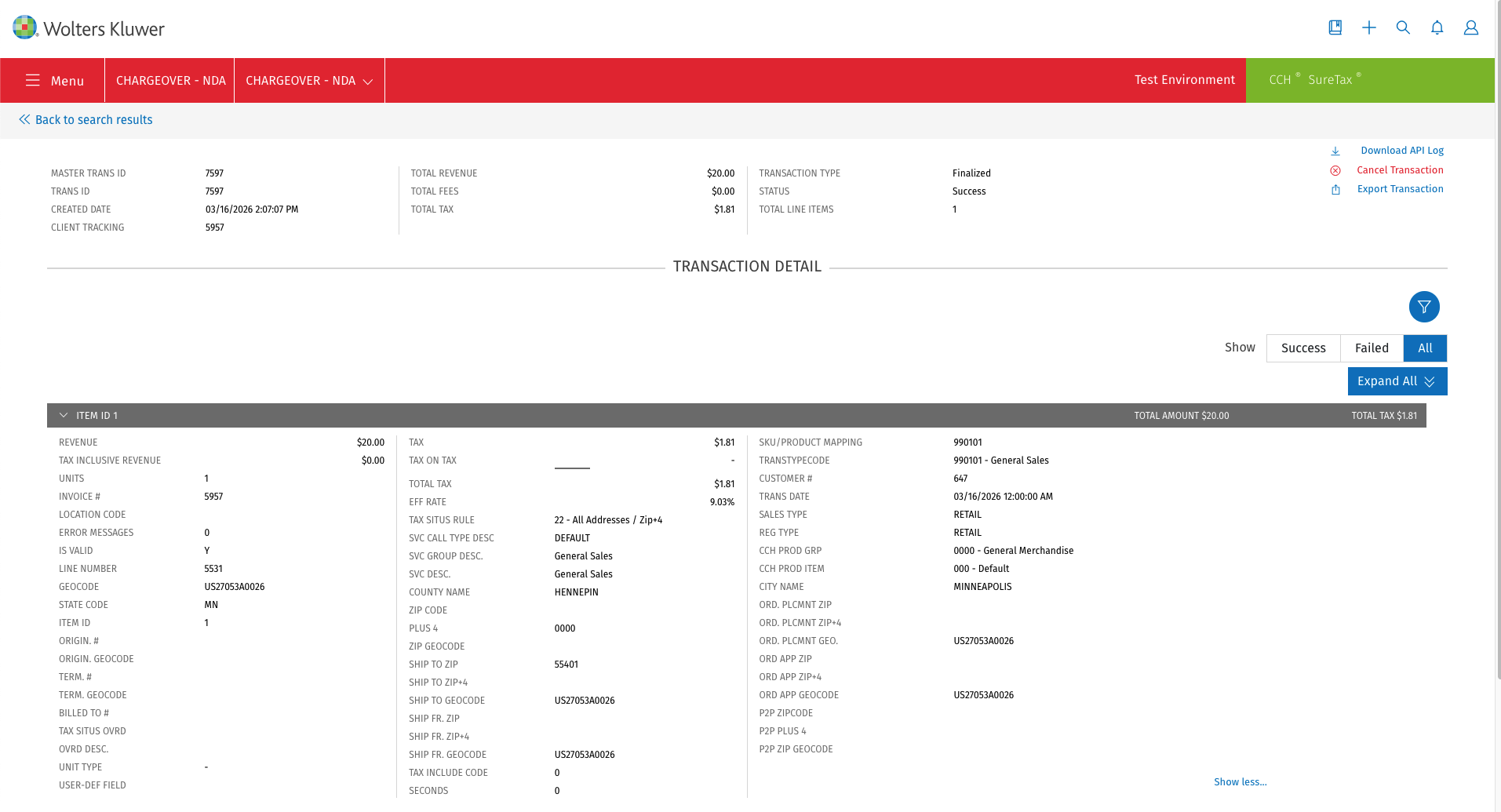
Here's how this transaction will be applied inside of SureTax:
Tax exempt customers
If your customer has any tax exemptions, you need to apply the appropriate SureTax tax exemption codes on the customer in ChargeOver, so that ChargeOver can let SureTax know which exemptions to apply.

Tax inclusive billing
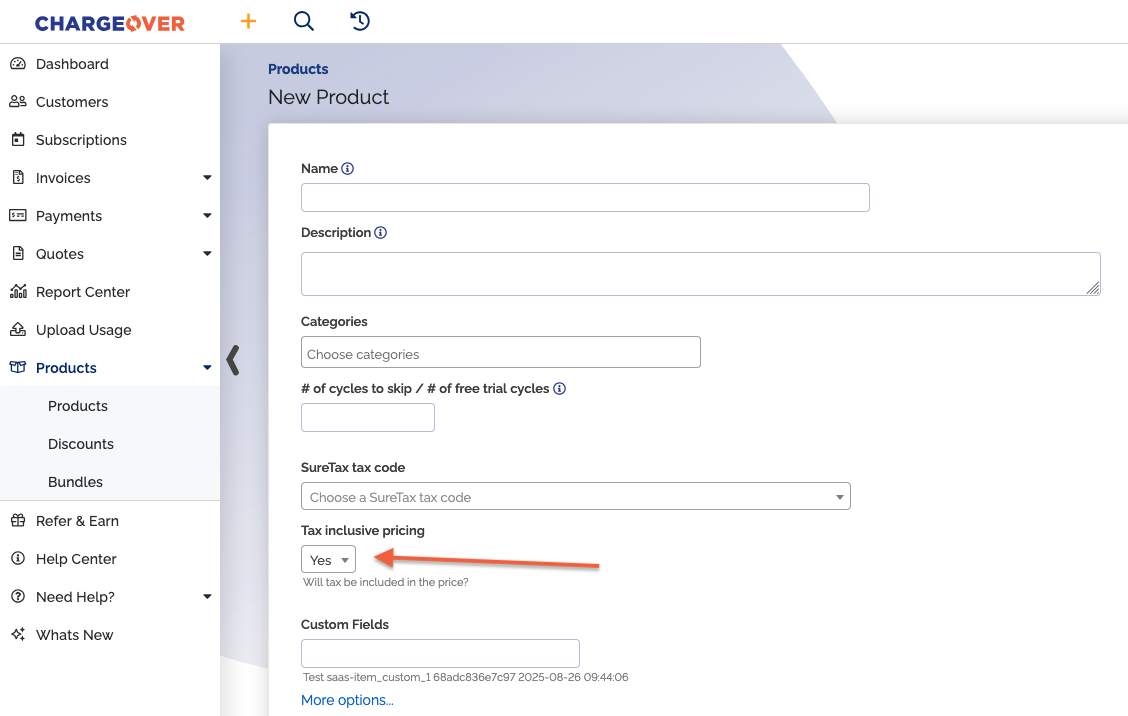
If you want a product's price to include its tax amount, set Tax inclusive pricing to Yes on your product.
This will tell SureTax to back calculate the tax that's included in the revenue amount for that product. Your invoice will be automatically updated with the revenue and tax amounts with the value returned by SureTax.
Processing fees / surcharges
Due to technical limitations, ChargeOver always sends credit card processing fees and merchant surcharges to SureTax as non-taxable products.
Refunds
When making refunds, ChargeOver will use SureTax to re-calculate the taxes to keep your tax reporting accurate.
Before submitting your refund, click
Click
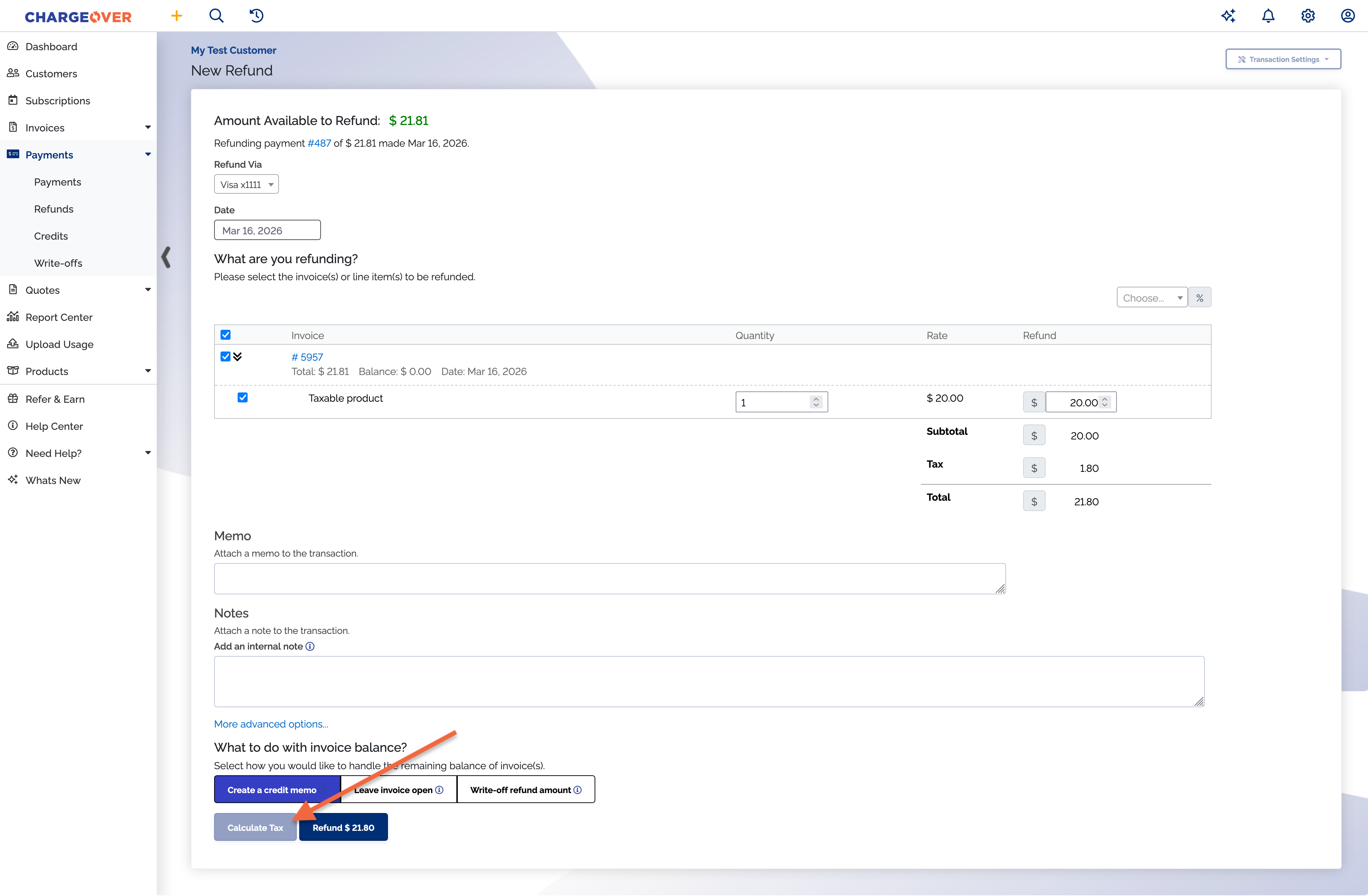
A record of the refund will be sent to your SureTax account.
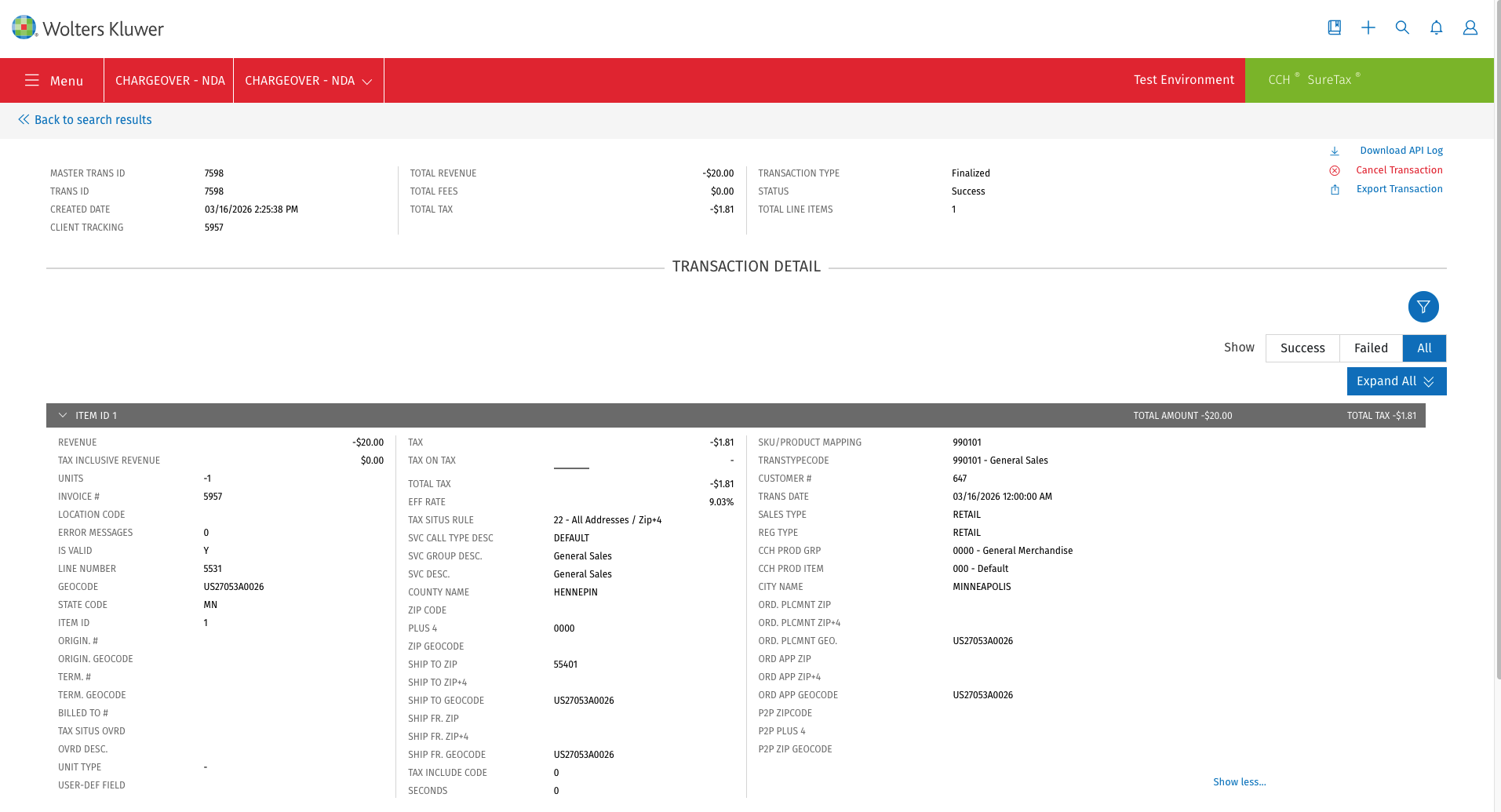
Editing invoices in SureTax
Tax is not finalized
If an invoice has not been finalized in SureTax, the tax will be recalculated when an invoice is updated.
Keep in mind
- The recalculation will take into account any edits that were made to the invoice
- In the audit log, you will see a reference to tax being "Calculated by SureTax"
Tax is finalized
If an invoice has been finalized in SureTax, then the tax will not be allowed to be recalculated.