Monthly Recurring Revenue (MRR) Cohort Report
Overview
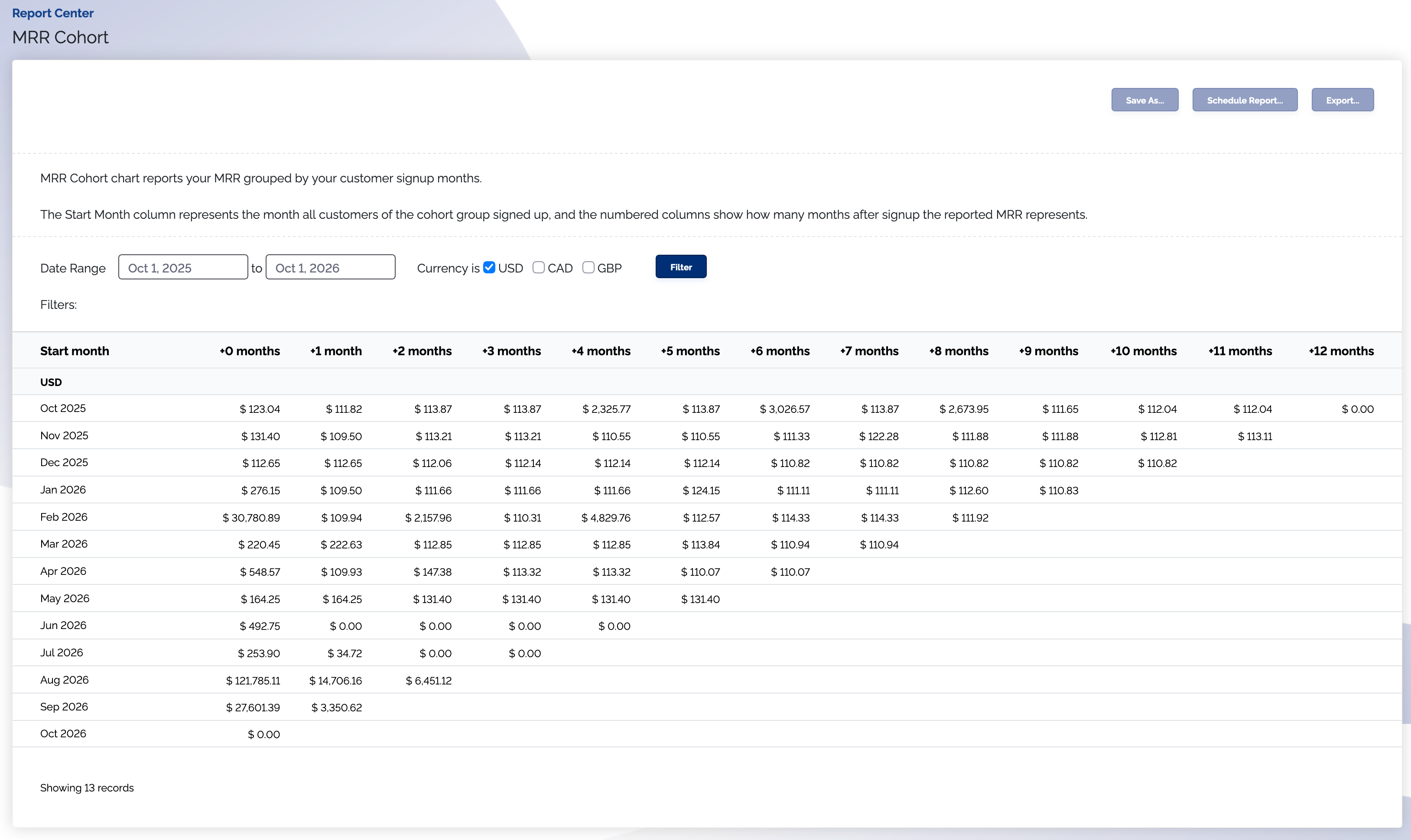
The Monthly Recurring Revenue (MRR) Cohort chart reports your monthly subscription revenue grouped by your customer's starting dates.
You can use this report to visualize MRR behavior over time based on when your customers sign up.
Where is this report?
- Find your Report Center tab and click into it
- The MRR Cohort report can be found under the Subscriptions & MRR heading
How do I read this report?
Learn how to read cohort analysis charts in the Reading Cohort Reports documentation.
Features of the report
- It is filterable by currency
- It is filterable by a date range
note
You cannot filter by a date range by a date older than 6 years ago on cohort reports.
What does my MRR Cohort report look like?