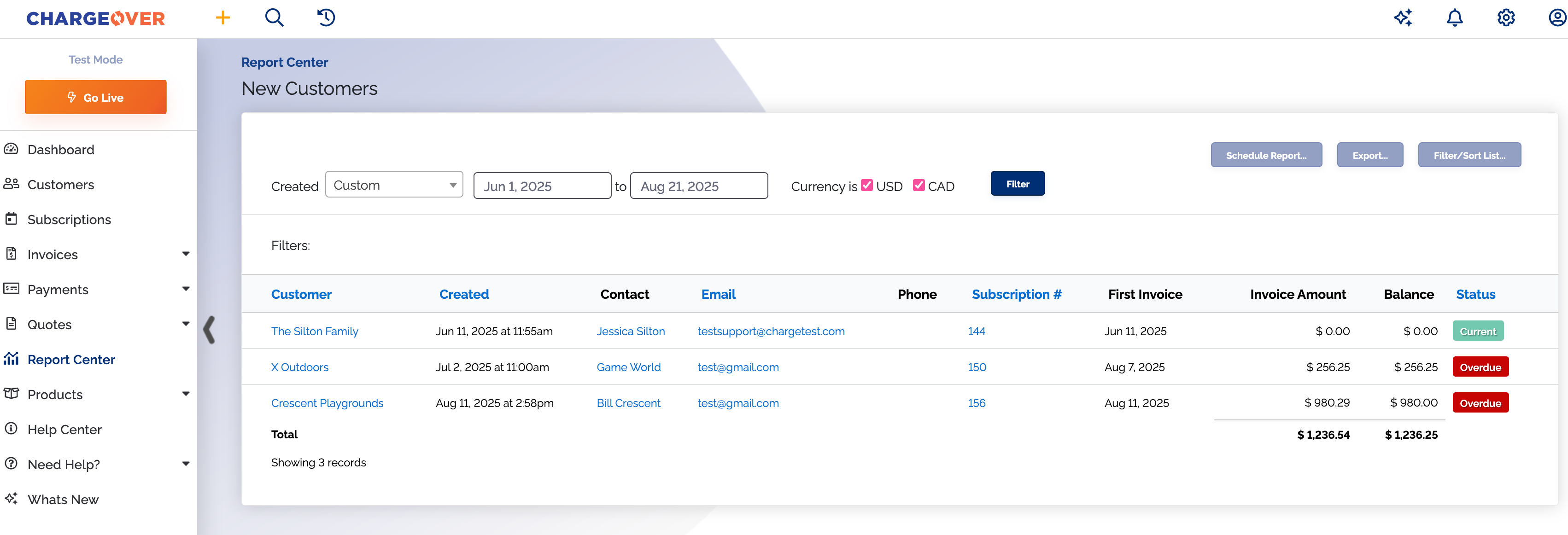
New Customers Report
Overview
The New Customers report provides a list of all new customers.
You can filter the report based on the date the customer was created.
Where is this report?
- Find your Report Center tab and click into it
- The New Customers report can be found under the Customers & Receivables heading
Available columns
- Customer name
- Creation date
- Contact
- Phone
- Customer number
- Date of the first invoice
- Invoice amount of their first invoice
- Current balance
- Current status
What your report might look like